Renting used to mean settling for a dumb home. You couldn’t swap a wall switch, couldn’t run new wiring, couldn’t drill through the front door — so you either gave up on smart gear or lived in fear of the damage deposit. That’s finally not true anymore. In 2026, there is a full-stack, Matter-native lineup of devices that clamps, tapes, plugs in, or retrofits over what’s already there. You can leave the apartment looking exactly as you found it, take the entire kit with you when you move, and still get 90% of the benefits a homeowner gets.
Here’s the honest, global guide to building a serious smart home in a unit you don’t own — without drilling, rewiring, or asking your landlord for anything.
The five rules of the renter smart home
Before picking products, set the constraints. The renter-friendly stack looks different from the homeowner stack because it has to obey all five of these rules:
- No drilling. Adhesive mounts, clamps, or existing screw holes only.
- No rewiring. The neutral wire your electrician friend keeps mentioning? Doesn’t exist here.
- Portable. It has to come with you when the lease ends.
- Reversible. Pull the tape, unclip the clamp, hand the keys back — no trace.
- Ecosystem-agnostic. You don’t know what platform the next apartment’s roommate uses. Pick Matter and you hedge the bet.
If a product fails any of those, it’s a homeowner product. Skip it.
The foundation: go hub-less, or go tiny hub
Most smart home articles start with “first, buy a hub.” Renters should start with “first, decide if you need one.”
A large chunk of the new Matter hardware — smart plugs, bulbs, sensors, even cameras — runs on Matter-over-Wi-Fi, which means it pairs directly to Apple Home, Google Home, Amazon Alexa, or SmartThings with nothing more than your phone and a QR code. No hub, no bridge, no extra box. This is the easiest path if you have fewer than 10 devices.
If you want Thread devices (they run on a low-power mesh that handles battery-operated sensors beautifully), you need a Thread Border Router somewhere in the apartment. Good news: a lot of things already are one. A HomePod mini, Apple TV 4K, Echo Hub, Nest Hub (2nd gen), or SmartThings Station quietly act as Thread Border Routers without any setup.
If none of those are in the apartment and you want a dedicated box, the Aqara Hub M100 is the most renter-friendly option on the market — USB-A powered (so it plugs into the back of your router or a power bank), measures 108×30×8 mm, Wi-Fi 6, acts as both a Thread Border Router and a Matter controller, and supports up to 20 Thread devices. It’s the size of a stick of gum and travels well. If you’d rather buy it locally with installation help, Aqara Singapore stocks the M100 along with the rest of the range.
Lighting: the part you’d think is hardest, but isn’t
The common wisdom is that smart lighting means swapping wall switches. That’s the homeowner answer. For renters, there are three cleaner options.
Smart plugs for lamps (the zero-thought option)
Any lamp you own can become a scheduled, voice-controlled, automation-triggered light with a $17 plug. The TP-Link Tapo P125M is the clearest winner right now — Matter-certified, 15A / 1800W, hub-free setup via Bluetooth and a QR code, and small enough that you can still use the outlet above it. At around $17 per plug or $45 for a three-pack, it’s hard to justify anything else for basic lamp control.
Pair it with a contact sensor on your front door and you’ve got an automation that turns on the living-room lamp when you come home. That’s the smart home core loop; it costs you $40 total.
Smart bulbs (when you need color or dimming)
If your apartment came with an awful cool-white LED downlight, a color-changing Matter bulb is the fix. Philips Hue, Nanoleaf Essentials, and Govee all ship E26/E27 and GU10 bulbs that screw into existing fixtures and work with Matter or HomeKit. Hue is still the best overall ecosystem but demands a bridge; the latest Hue Bridge Pro is a notable upgrade, though it’s another box plugged into your router.
If you only care about one room and want zero extra hardware, Nanoleaf Essentials bulbs with Matter-over-Thread are probably what you want. They commission in seconds and don’t need a bridge.
Wireless battery switches (no wall work)
The piece most renters miss is the switch. Smart bulbs on a physical wall switch are useless — cut the power and they’re as dumb as a rock. Instead, leave the wall switch permanently on and stick a battery-powered wireless button next to it. The Aqara Wireless Mini Switch is the cheapest widely-available option ($19, magnetic mount, three-action click) and runs for a year on a coin cell. Philips Hue’s Smart Button and IKEA’s Rodret do the same job inside their own ecosystems.
Tape it to the wall. Peel it off on moving day. Done.
We went deeper on the hardwired equivalents in Inovelli White vs. Aqara Z1 Pro, but skip that whole category if you’re renting — it’s a trap.
Locks: the hidden renter superpower
A smart lock feels like the last thing a renter should touch. In reality, retrofit locks are the best-in-class renter devices — they install with a screwdriver, keep your existing deadbolt and key, and pop off cleanly.
There are two schools of thought here.
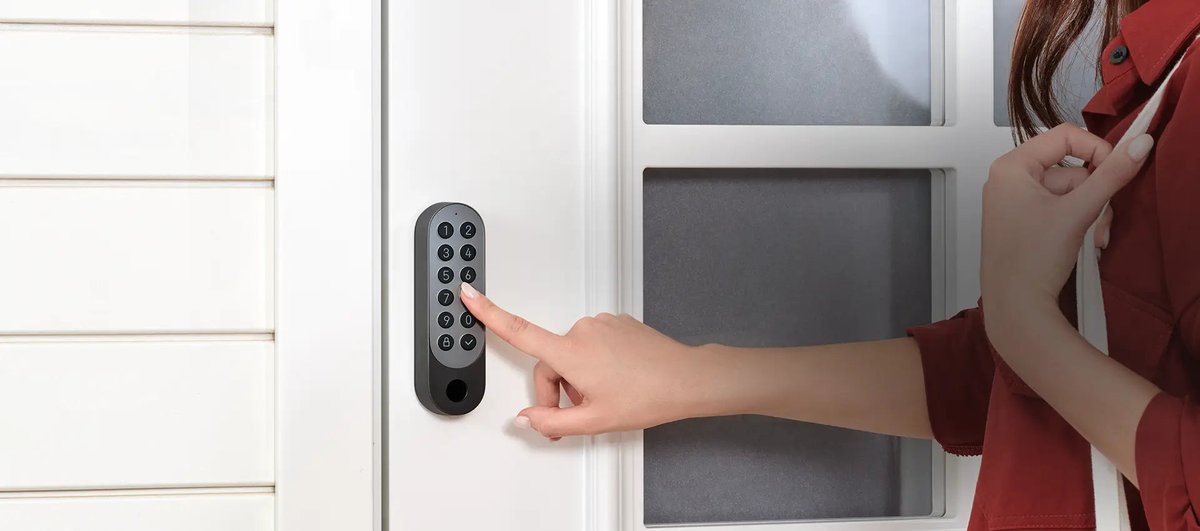
The exterior retrofit: Aqara U200. The Aqara Smart Lock U200 clamps onto the interior side of your existing deadbolt and adds a fingerprint/keypad reader on the outside. It supports Matter over Thread, Apple Home Key (tap your iPhone or Apple Watch to unlock), and runs for months on a rechargeable battery. List price is $250, often $200–$216 with a promo code. It does change the exterior look of your door, which is the tradeoff. We compared it head-to-head in SwitchBot Lock Pro vs. Aqara U200, and if buying in Singapore, Aqara Singapore carries the U200 kit with local warranty.
The invisible retrofit: Level Lock Pro. The Level Lock Pro takes the opposite approach — it hides the entire mechanism inside your deadbolt, so the door looks exactly like it did before. It’s the most discreet smart lock money can buy, supports Apple Home Key and Matter-over-Thread, and runs up to a year on a single CR2 battery. The tradeoff: it’s pricier than the U200, it only fits standard 2-3/8" or 2-3/4" US backsets, and it needs a Thread Border Router in the apartment. For anyone who cares what the front door looks like to the landlord, it’s unbeatable — AppleInsider called it best-in-class for exactly this reason.
Whichever you choose, take photos of the original installation before you touch anything. Keep the original parts in a labeled bag. This is the single most important moving-out habit.
Curtains and blinds: retrofit, never replace
Motorized curtains used to mean ripping out the rod and installing a custom track. In 2026, two categories completely sidestep that.
Curtain clip motors like the SwitchBot Curtain 3 clamp to your existing rod or track, grip the curtain itself, and crawl along when triggered. It’s a real motor — 20 lb pulling force, enough for heavy blackout curtains — and a single unit runs around $60–90, with optional solar charging that eliminates battery swaps entirely on sunny windows. It’s not silent, but it’s genuinely renter-proof. We covered the broader category, including IKEA’s and Zemismart’s newer Thread options, in Thread Blinds Battle 2026.
Curtain track drivers like the Aqara Curtain Driver E1 attach to the top of existing curtain tracks and pull the curtain open on a string. They’re quieter than clip motors but only work with proper tracks, not rods, and they’re Zigbee — you need an Aqara hub to expose them to Matter. Same principle though: zero modifications to the track or curtain itself. If you want the track-driver route bundled with a hub, Aqara Singapore has the E1 driver.
For blinds (horizontal venetians, roller shades), SwitchBot’s original Blind Tilt motor sticks to the front of existing blinds with 3M tape and handles the tilt wand. It’s a more limited fix but genuinely doesn’t touch the blinds themselves.
Doorbells and cameras without drilling
This is the category renters most often get told they can’t have. Not true.
Battery doorbells that don’t need existing chime wiring. The Aqara Smart Video Doorbell G4 runs on six AA batteries for up to four months, comes with a plug-in wireless chime, and can mount with the included wedge bracket onto screws that most apartments already have in place for the old mechanical doorbell. It supports HomeKit Secure Video with no subscription, does on-device face recognition, and at around $90 retail (often discounted closer to $60 during sales) it’s the cheapest competent battery doorbell on the market. If you’re in Singapore, the G4 is stocked locally with installation support. We put the wired/POE-capable G410 up against Nest and Ring in the 2026 smart doorbell buyer’s guide if you want the full landscape.
Indoor cameras. Almost any indoor camera works for renters because they just sit on a shelf. The ones to avoid are anything that demands an exterior cable run. Blink Mini 2 ($40), Wyze Cam v4 ($36), and the Aqara Camera E1 ($59) are all USB-powered, sit on a shelf, and do the job.
Outdoor cameras. Battery-only models like Blink Outdoor 4 or the Eufy SoloCam stick to walls with 3M VHB mounts and don’t need holes. Just don’t expect them to survive two monsoon seasons on tape — test the adhesive at the one-month mark.
Sensors, presence, and leak detection
The quiet magic of a smart home is sensors: devices that trigger automations without you pushing anything. Almost all of them are battery-operated and renter-friendly by default.
The Aqara Presence Sensor FP1E is the best value in mmWave presence detection at $50 — it detects a person sitting still (down to the chest rise of breathing), which passive infrared sensors cannot. It’s USB-C wired, so you need an outlet nearby, but no drilling. It’s Zigbee though, so it needs an Aqara hub to surface in Matter. Aqara Singapore has the FP1E.
For everything else — door/window contact sensors, leak sensors under sinks, temperature/humidity monitors — stick with Aqara’s P2 Zigbee series or IKEA’s new Thread line, both of which are under $25 apiece and run for a year or more on coin cells. Water leak sensors in particular pay for themselves the first time a washing machine hose fails; check IKEA’s 2026 Matter lineup for the cheapest Thread-native options.
What to skip as a renter
Some smart home categories are homeowner-only, and chasing them will just waste money and goodwill with your landlord:
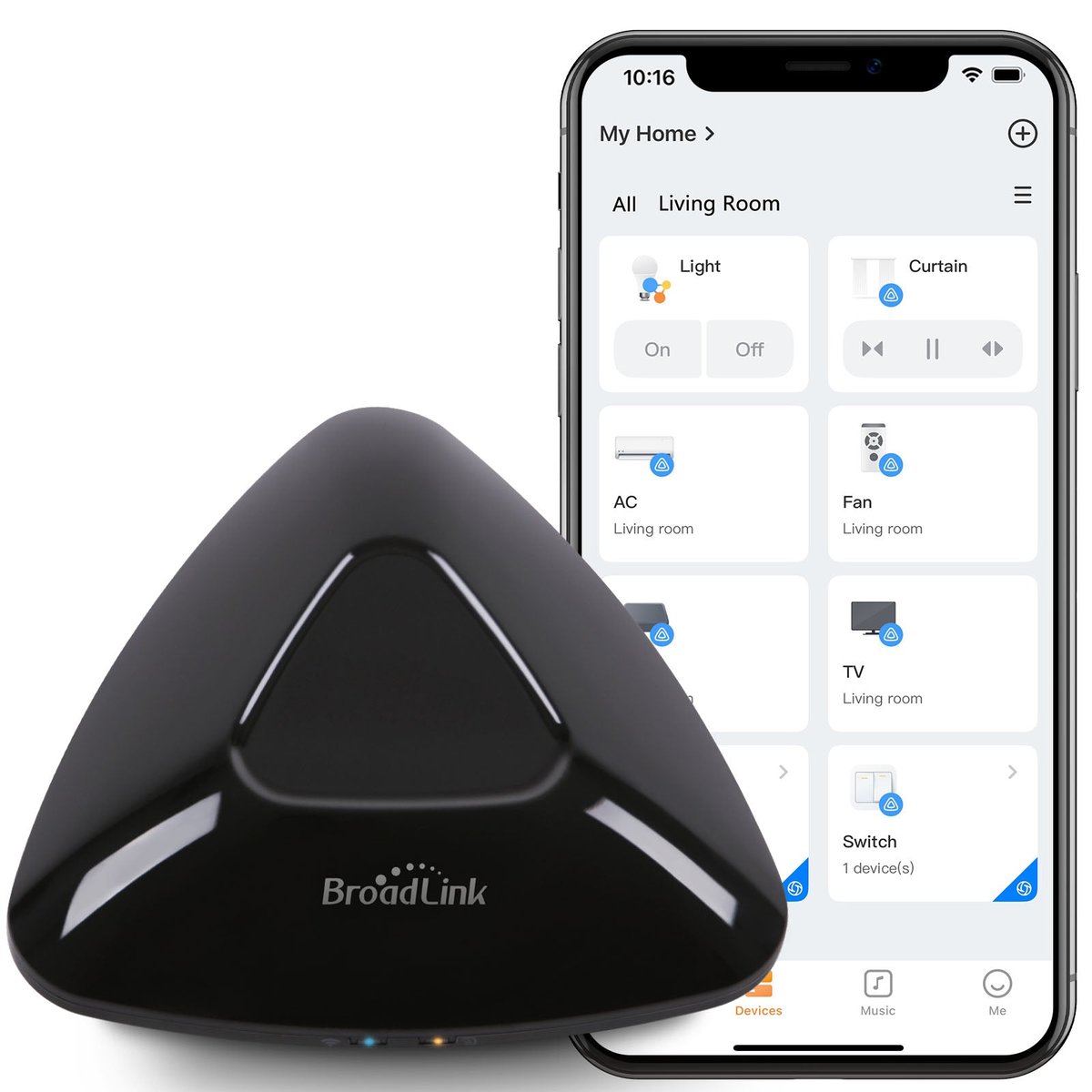
- Smart thermostats. Nest, Ecobee, and Tado all require wiring to the HVAC system. Unless your place is unusually modern, this is a landlord conversation. Some apartments have portable AC units — in that case, an IR blaster like the SwitchBot Hub 2 or Aqara’s G3 camera (which has one built in) gets you 80% of the way for $50.
- Hardwired wall switches. Skip the whole category. Battery switches + smart bulbs or smart plugs get you the same outcome without touching the wall.
- Wired-in smoke detectors. Don’t. Your building’s existing system is legally the landlord’s responsibility; adding a separate battery unit like the Eve Smoke is fine, replacing anything wired is not.
- In-wall cameras, doorbell transformers, garage door openers with hardwiring. All homeowner territory. Battery and clamp-on versions exist for all three; pick those.
Take your house with you
The thing nobody tells you about building a renter smart home is that the next apartment is easier. Everything on this list is battery-powered, adhesive-mounted, or clamped on — when the lease ends, you pull it off, pack it in the box it came in, and commission it again at the new place in 90 minutes. The Matter spec means even if the new place’s roommate has Alexa and the old one had Apple Home, your devices re-pair to whatever’s there.
The net outcome in 2026: a renter with $500 and an afternoon can build a smart home that a homeowner in 2022 couldn’t have built with $3,000 and a contractor. The only thing still off-limits is the stuff genuinely baked into the building — and in most places, that’s a shrinking list.
Your deposit is safe. Go build something.