For years, “what should I run Home Assistant on?” had a one-sentence answer: grab a Raspberry Pi, or buy the official box if you don’t want to tinker. In 2026 that sentence needs a rewrite. The AI data-center boom has soaked up memory fab capacity, and the small computers we run our homes on are paying for it. The official Home Assistant Green launched at $99 and now lists at $199. A Raspberry Pi 5 8GB that cost $80 at launch is now $175. Mini PCs are swinging around in price week to week.
The good news is that the decision itself hasn’t gotten harder. Home Assistant still runs well on modest hardware, and the right choice mostly comes down to three questions: what do you already own, do you want cameras or local voice, and how much tinkering will you tolerate? Here’s how the realistic options stack up, with prices as of October 2026.
The short answer
- You want it to just work: Home Assistant Green ($199 / €179).
- You already own a Raspberry Pi 4 or 5 with 4GB or more: use it, but boot from an SSD, not a microSD card.
- You want camera object detection, local voice, or room to grow: an Intel N-series mini PC, or a used business “tiny” PC.
- You already run a NAS or a homelab: a virtual machine, as long as you understand the USB-radio caveats.
What changed since last year
The RAM squeeze hit hobby hardware hardest
Raspberry Pi raised prices three times in four months: in December 2025, again in February 2026, and once more on April 1. The company says the LPDDR4 memory used in the Pi 4 and Pi 5 now costs roughly seven times what it did in 2025. According to BGR’s tally, the Pi 5 now runs about $110 for 4GB, $175 for 8GB and $305 for 16GB. The 16GB model launched at $120.
Nabu Casa, the company behind Home Assistant, was hit the same way. It said the component cost of building a Green has nearly doubled since production started, and the box now lists at $199 / €179, effective April 24, 2026. Amazon US listings have sometimes run above that.
The one Pi 5 that didn’t get more expensive is the 1GB model, still $45. Home Assistant OS won’t support it, because it needs at least 2GB. Don’t let the price tag tempt you.
Two install methods and 32-bit hardware are gone
In May 2025, Home Assistant deprecated the Core and Supervised installation methods along with the 32-bit i386, armhf and armv7 architectures, and support ended with release 2025.12. Only two installation types are supported now:
- Home Assistant OS, the appliance-style operating system. It’s the recommended option, with one-click updates and the apps store (what used to be called add-ons).
- Home Assistant Container, which runs in Docker on a system you manage. It has no apps, and Thread and Z-Wave don’t work out of the box.
If you’ve been running Supervised on Debian, or anything on an old 32-bit Pi 3, you’re now unsupported. Things may keep working, but you’re on your own. That alone is a reason to rethink your hardware this year.
The Yellow is discontinued
Nabu Casa stopped making the Home Assistant Yellow on October 15, 2025, blaming unreliable supply and pricing of the Raspberry Pi Compute Module 4 it was built around. Existing Yellows keep getting updates, but the Green is now the only official hub you can buy new.
Option 1: Home Assistant Green
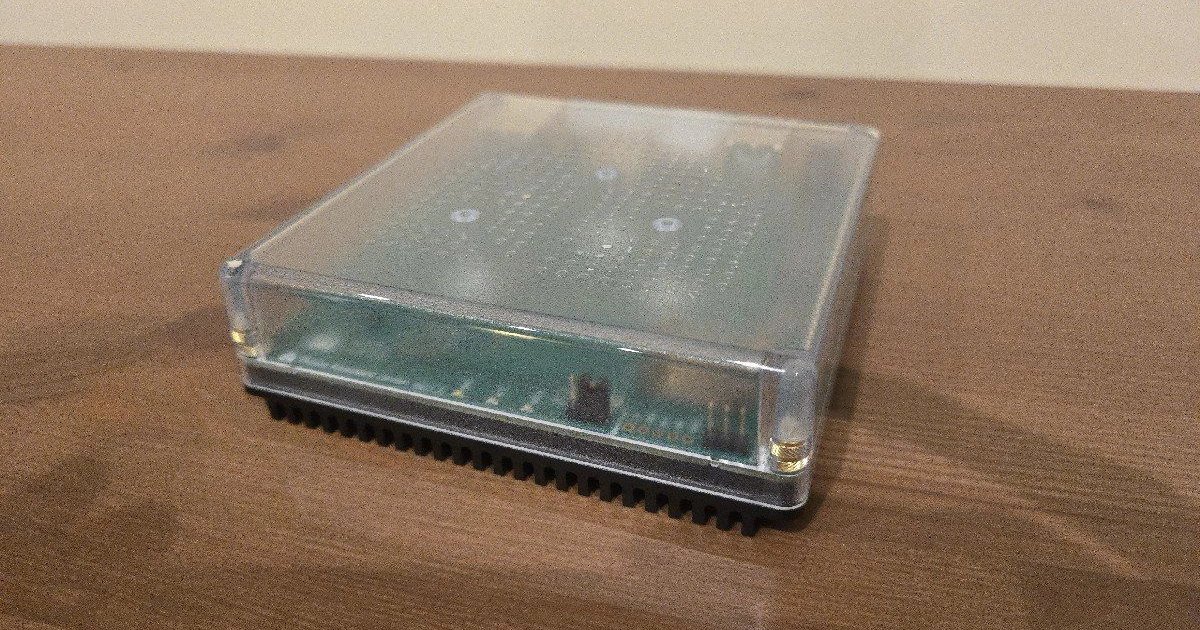
The Green is a small, fanless box with a clear top and a black anodized aluminum base that doubles as the heatsink. Inside is a Rockchip RK3566 with 4GB of RAM and 32GB of eMMC storage. Home Assistant OS comes preinstalled. Plug in Ethernet and power, open homeassistant.local:8123 in a browser, and you’re onboarding devices within minutes. It has no Wi-Fi, which is a good thing for a hub.
What it does well: For a typical home with a few hundred entities, Zigbee2MQTT or ZHA, the Matter server, a handful of integrations (Hue, Sonos, Aqara over HomeKit or Matter, your energy monitor) and a pile of automations, 4GB is plenty. It’s silent, draws about 1.7W at idle by Nabu Casa’s own figures, and is the hardware Nabu Casa tests against first. Part of what you pay goes to Home Assistant development.
Where it runs out of room:
- No radios. There’s no Zigbee, Thread or Z-Wave chip inside. Budget for a Connect ZBT-2, ZWA-2 or a network coordinator. Our coordinator guide covers which one to buy.
- 32GB fills up. Long history retention, big backups and media can eat that eMMC.
- Cameras and heavy AI. Running Frigate object detection on the Green isn’t realistic. If you want a local NVR, see our Frigate vs. Scrypted vs. UniFi Protect comparison and plan for x86 hardware.
- Local voice is limited. Fixed-command local voice works, but fully local speech-to-text with a large model is sluggish on the RK3566. Our Voice PE deep dive explains the trade-offs.
Is it still worth it at $199? For most people starting fresh, yes. Once you price out a properly kitted Raspberry Pi 5, the gap closes or flips, and the Green comes with a supported, tested path and nothing to assemble. Paying double the original price stings, but you’re paying for the same memory shortage that hit every alternative.
Option 2: Raspberry Pi 5 (or the Pi already in your drawer)
The Raspberry Pi built the Home Assistant community, and it still works well. The math is different now, though.
If you already own a Pi 4 or Pi 5 with 4GB or more, that’s the best deal in home automation: free. Home Assistant OS officially supports both, with a 2GB minimum. Do two things:
- Get off the microSD card. Card wear-out is the classic way a Pi-based Home Assistant dies, usually at 2 a.m. on a holiday. On a Pi 5, an NVMe SSD on an M.2 HAT is the upgrade worth making. On a Pi 4, a USB 3 SSD does the same job.
- Use the official power supply. The Pi 5 wants its 27W USB-C adapter. An underpowered supply causes the kind of random instability that wastes weekends.
If you’re buying new, add up the whole kit: a $110 4GB or $175 8GB board, the power supply, a case with active cooling, the M.2 HAT and an SSD. A 4GB build lands in the same range as a Green, and an 8GB build costs more. You get more flexibility, since the Pi also has Wi-Fi and Bluetooth onboard, but you also take on more assembly and more troubleshooting.
One odd footnote: in April, Raspberry Pi launched a 3GB Raspberry Pi 4 at $83.75. It clears Home Assistant’s 2GB floor on paper, but it’s older, slower silicon. Only consider it if price is all that matters and you’ll never add more than the basics.
Option 3: An Intel N-series mini PC, new or used
If you want headroom for cameras, local voice, Music Assistant, or a few extra virtual machines, x86 is the answer. It also takes the most planning.
New: N150 mini PCs, at memory-crunch prices
The Beelink EQ14 is a good example of the category. It has an Intel N150 quad-core chip, a single DDR4 SO-DIMM slot (16GB max), dual M.2 slots, dual 2.5GbE on some configurations, and a built-in power supply, so there’s no external power brick. On Beelink’s own store, the 16GB / 500GB / dual-2.5GbE model is listed at $385, marked down from $469, as of this writing. Third-party listings vary widely, so shop around and check the RAM and SSD specs carefully. Sellers sometimes cut memory to hit a price.
What you get for the money is real capability. The Intel integrated GPU supports hardware video decoding and OpenVINO, which Frigate can use for object detection without a separate accelerator. There’s also enough CPU for a local Whisper speech-to-text model that responds in a reasonable time. Flash the generic x86-64 Home Assistant OS image to the internal SSD. In the BIOS, set the machine to power on after AC loss, so it comes back by itself after a blackout.
Used: the business “tiny” PC
This is the smart 2026 move a lot of people overlook. Off-lease Lenovo ThinkCentre Tiny, Dell OptiPlex Micro and HP EliteDesk/ProDesk Mini machines come with RAM and an SSD already installed. You’re effectively buying memory made before the price spike. Look for 8th-gen Intel or newer, 8GB or more, and an SSD rather than a hard drive. Check the seller’s return policy and wipe the drive before installing Home Assistant OS.
The catch: power
A mini PC idles at a higher wattage than a Green or a Pi. Every extra 5 watts running 24/7 adds up to about 44 kWh a year. That’s not a dealbreaker, but if you’re running HA mostly to cut energy waste (our energy monitoring guide covers that), count it.
Option 4: A VM on your NAS or homelab
If you already run Proxmox, a Synology with Virtual Machine Manager, or another hypervisor, Home Assistant OS ships as a ready-made virtual machine image, and spinning it up takes minutes. Give it 2 to 4GB of RAM and a couple of CPU cores and it will be happy.
Three caveats:
- USB radios and VMs don’t always get along. Passing a Zigbee or Thread dongle through to a VM works until a host update renumbers the USB devices. A network-attached (Ethernet or PoE) coordinator avoids the problem entirely.
- Your house now shares a reboot schedule with your NAS. When the NAS installs an update, your automations go down with it. That’s fine for some households and unacceptable for others.
- Choose the VM over Container unless you’re comfortable with Docker. Container gives up the apps store and makes Thread and Z-Wave harder.
What matters more than the processor
Whatever you buy, these are the things that actually decide whether your setup is reliable:
- Wired Ethernet for the hub. Wi-Fi is fine for a light bulb but not for the box running everything. If your network is a mess, start with our smart home Wi-Fi guide.
- Radios on a USB extension cable, away from the host. USB 3 ports and SSDs produce 2.4GHz interference that quietly weakens your Zigbee and Thread mesh.
- Backups that leave the box. Home Assistant’s built-in backups can be encrypted and sent to network storage or Home Assistant Cloud. Set this up before you need it.
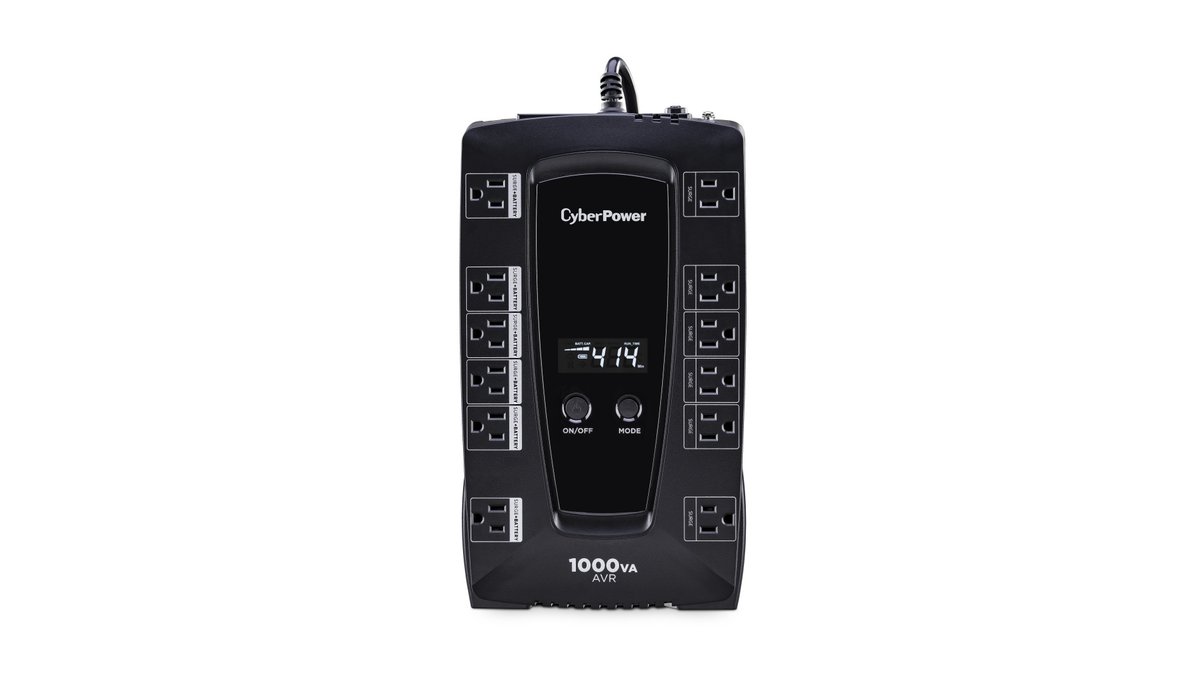
- A small UPS. A hub that loses power mid-write is how databases get corrupted. Our blackout guide covers the cheap fix.
- Bluetooth via proxies. For Bluetooth sensors and locks, a couple of ESPHome Bluetooth proxies placed around the house work better than any onboard radio, so don’t pick hardware for its Bluetooth chip.
Comparison at a glance
| Option | Price (Oct 2026) | RAM | Best for | Watch out for |
|---|---|---|---|---|
| Home Assistant Green | $199 / €179 | 4GB | First-timers who want it to just work | No radios, 32GB storage, no Frigate |
| Raspberry Pi 5 4GB | ~$110 (board only) | 4GB | Tinkerers, or reusing a Pi you own | Accessories add up; avoid microSD |
| Raspberry Pi 5 8GB | $175 (board only) | 8GB | Heavier add-on loads on ARM | Costs more than a Green once kitted |
| N150 mini PC (e.g. Beelink EQ14) | $385 direct (16GB/500GB) | Up to 16GB | Cameras, local voice, Proxmox | Price volatility, higher idle power |
| Used business tiny PC | Varies by market | 8–16GB typical | Best value for x86 headroom | Age, seller quality, BIOS setup |
| NAS / homelab VM | Hardware you already own | 2–4GB allocated | Homelabbers | USB passthrough, shared reboots |
Don’t want to run a server at all?
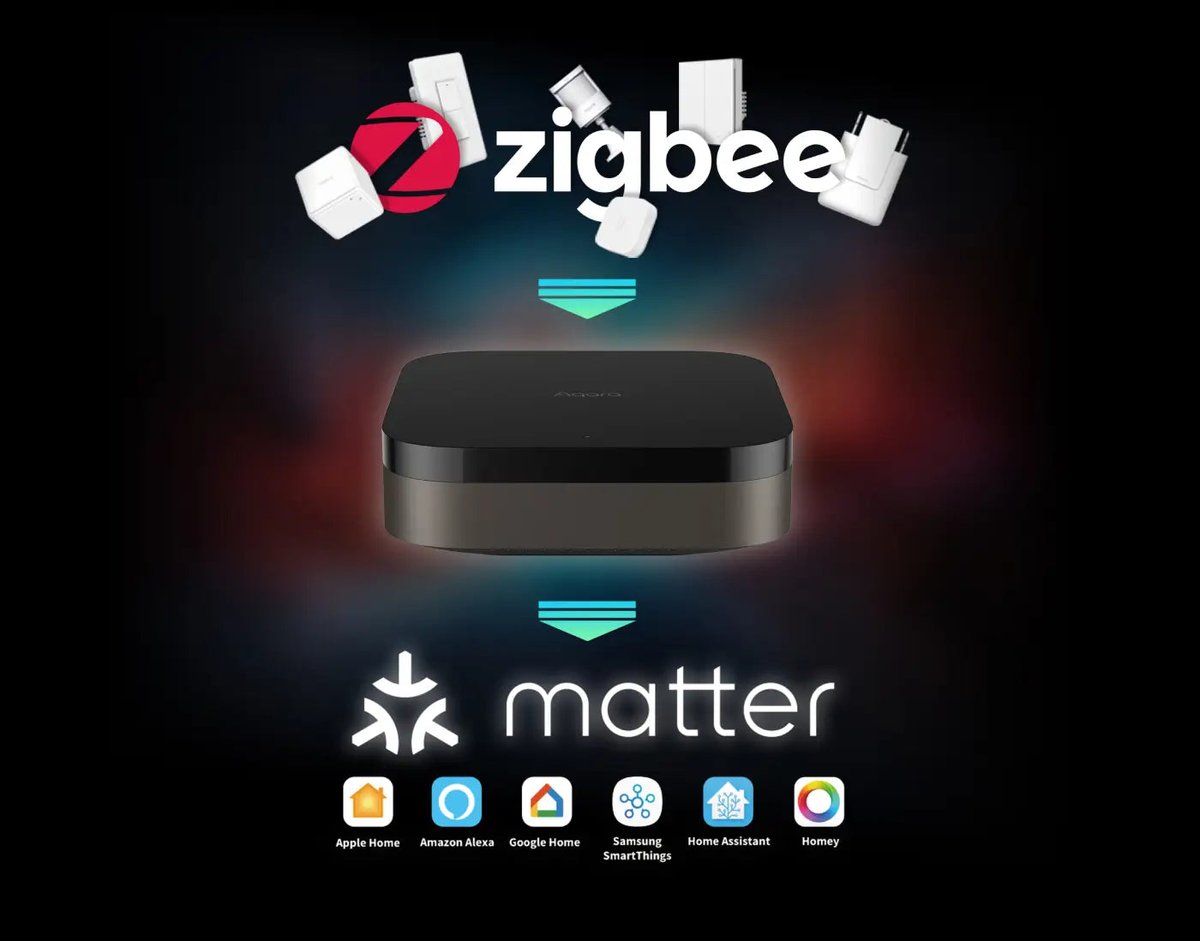
That’s a reasonable choice too. Home Assistant is powerful, but it’s a hobby as much as a product. If you mainly want local, fast automations without maintaining a computer, a capable hub gets you most of the way. The Aqara Hub M3 is a Matter controller, Thread border router and Zigbee hub in one, it runs automations locally, and it can expose its Zigbee devices to Apple Home, Google Home, Alexa or SmartThings over Matter. If you change your mind later, it can share those same devices with Home Assistant too. Our Matter multi-admin guide explains how to run several platforms on one set of devices.
The verdict
Buy the Home Assistant Green if you’re starting fresh. Even at $199 it costs about the same as a properly built Pi 5, it’s the supported path, and the money goes back into the project.
Reuse your Raspberry Pi if you already have a 4GB-plus Pi 4 or 5. Spend the savings on an SSD and a good coordinator.
Go x86 if cameras or local voice are on your roadmap. A used tiny PC with the RAM already installed is the best value of 2026. A new N150 box is the cleaner option if you can find one at a fair price.
Skip the 1GB Pi 5, even though it’s the only model that didn’t get more expensive, and skip any guide still telling you to install Supervised on Debian. Both are dead ends now.
Memory prices won’t stay this high forever, but no one is promising when they’ll come down. Fortunately, Home Assistant doesn’t need much. Four gigabytes, an SSD and an Ethernet cable still run a very capable smart home.